Screen recorder and live studio
Record your show and go live from one app.
Choose a look, press record and stream to YouTube, TikTok and Twitch at the same time. No plugins and no long setup.
Free for Mac. Windows, iPhone and Android are coming.
What people make
Made with JaySnr
Each video here is what JaySnr recorded, with the look, the titles, the live badge and the camera bubble already in it.
How it works
Ready in three steps
1Pick a look
Screen and camera, side by side, podcast or a Starting soon scene, in your colours and with your titles.
2Press record
JaySnr checks your camera, mic and screen first, and fixes what isn't ready with one button.
3Go live everywhere
One click starts the stream on every platform you added. If the internet drops, the recording keeps going.
Podcast mode
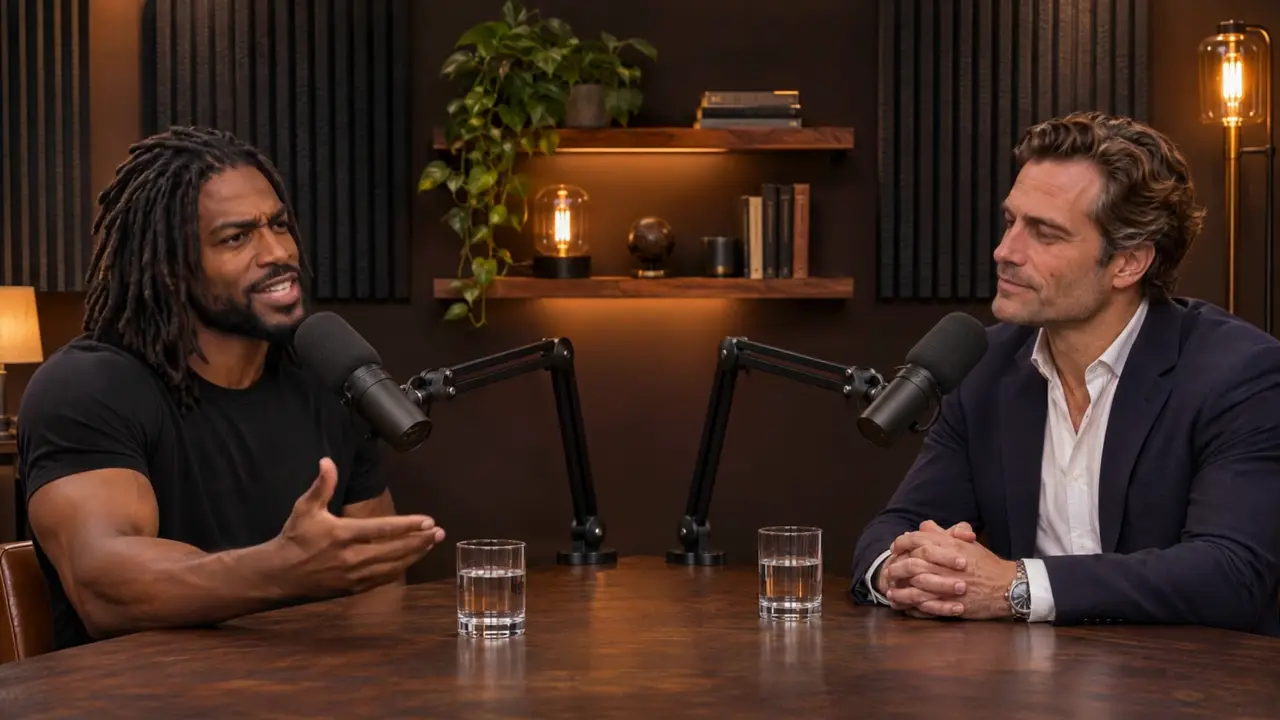
A podcast studio on one computer.
Plug in your cameras and mics. Tap a camera and it becomes the main picture, or let JaySnr follow whoever is talking.
- Up to five cameras on a camera board
- A mic for every person, mixed for you
- Main and strip, grid, or one camera
 1
Live
Stream to several platforms at once.
Add your platforms once. If the connection drops, JaySnr reconnects on its own and keeps recording.
- YouTube
- Twitch
- TikTok
- X
- Kick
- Your own server
Soundboard
Play your sounds with one key.
Drop any clip on a pad. It plays in your stream and your recording, and music gets quieter while you talk.
Download
Download JaySnr for free

Mac
macOS 14 or later, on Apple silicon and Intel.
Coming soon
Windows
Coming soon, for Windows 10 and 11.
Coming sooniPhone and iPad
Coming soon to the App Store.
Coming soon
Android
Coming soon.
Coming soon
Questions
Is JaySnr free?
Yes. JaySnr is free to download and use, with no account. A paid Pro version with extra features will come later.
Do I need OBS?
No. JaySnr does the looks, the titles, the sounds and the streaming itself.
Does it work on Intel Macs?
Yes. JaySnr runs on Intel and Apple silicon Macs with macOS 14 or later.
Where do my recordings go?
Into your Movies folder, on your computer. Nothing is uploaded unless you go live.
Which platforms can I stream to?
YouTube, Twitch, TikTok, Instagram, Facebook, X, Kick, LinkedIn and any RTMP server.
Can I use my own sounds?
Yes. Drop any audio file you have the right to use on a pad, or send it from JayD26.
The JayApps family
More apps from Narikia
JaySnr joins JayPlay, JayD26 and JayVault. They share one design and the same privacy rules.
 JaySnrYou're here
 JayPlayVisit
 JayD26Visit
 JayVault